Voice In. Words Out. · 100% Offline

Voice In. Words Out.
Polished Text Everywhere.

Production-quality voice typing and local AI text refinement for Windows 10 & 11. Hold Ctrl + Space anywhere, speak your mind, and watch accurate text appear instantly in any application.

Global Shortcut: Ctrl + Space Works in VS Code, Word, Chrome, Slack, Terminals & Notepad
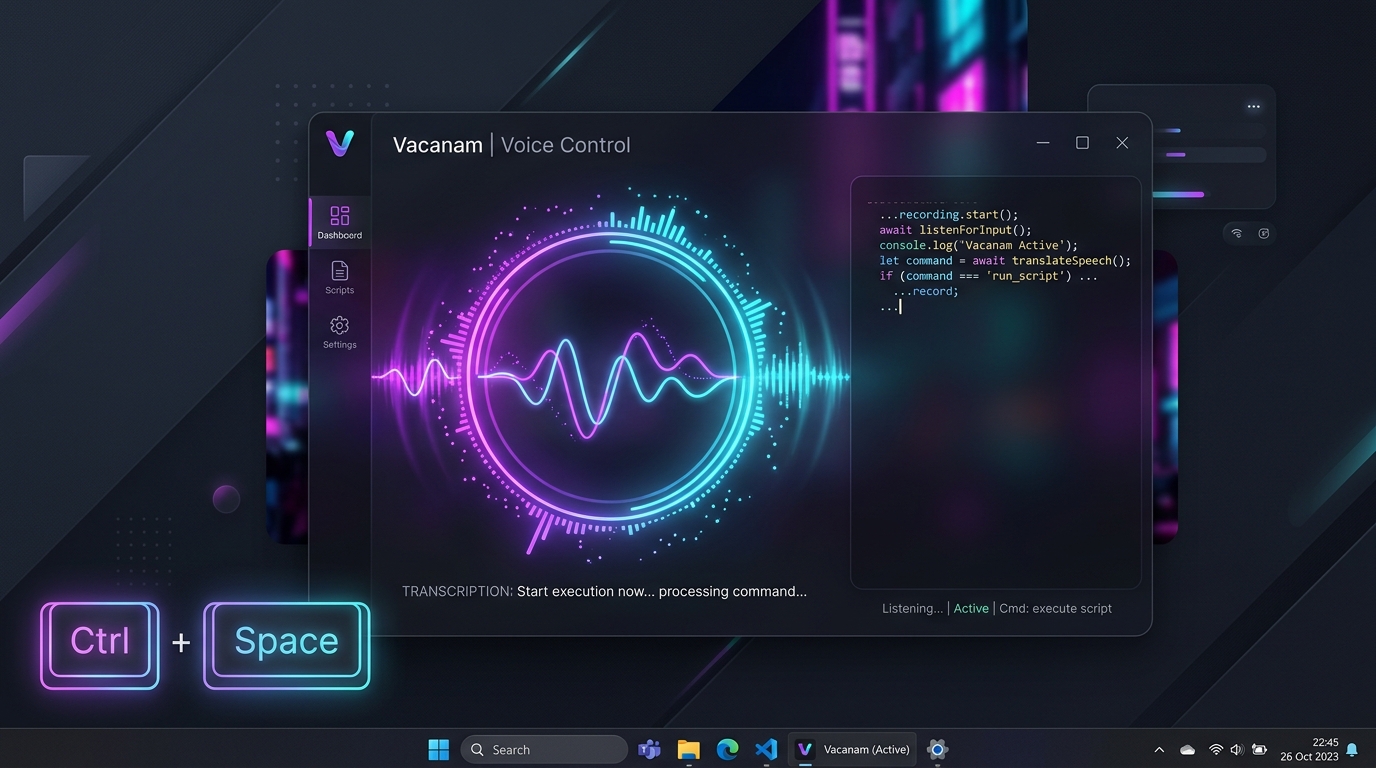
Vacanam Windows 11 Voice Control Desktop Mockup
Interactive Experience

Experience Push-to-Talk Live

Try the live simulator below right now in your browser. Hold down the button or press Ctrl + Space on your keyboard.

Target Application:
AI Text Polish Mode: Active
VS Code — editor.ts UTF-8 · Vacanam Target Window
// Hold Ctrl+Space or the button below to dictate into VS Code...
Built for Performance

Why Developers & Writers Love Vacanam

Engineered with high performance C# / .NET 10, low-latency WASAPI capture, and local AI.

🎙️

Global Push-to-Talk

Hold Ctrl+Space from any application. Release to inject speech directly at your cursor without switching windows.

Whisper.net Local STT

Sub-300ms transcription speed powered by whisper.cpp with pure C# audio resampling and multi-threaded CPU/GPU inference.

🤖

Local LLM Text Polish

Optional sub-second grammar refinement with local GGUF models (Qwen 2.5 / Llama 3.2) to fix punctuation and eliminate filler words.

🌍

99+ Languages Supported

Seamless transcription across English, Hindi, Spanish, German, French, Chinese, Japanese, and 90+ other global languages.

🔒

100% Zero-Trust Privacy

Zero cloud APIs, zero telemetry, and zero tracking. Audio is processed in memory and never saved to disk.

Read Privacy Policy →
📜

SQLite History & Search

Opt-in local SQLite database with instant full-text search, process tagging (Chrome, VS Code, Word), and one-click copy.

🔇

Microphone Health Alerts

Real-time detection for muted microphones or low volume levels (<30%), warning you on the visual overlay instantly.

🎯

Smart 3-Strategy Injection

Intelligent fallback across Clipboard + Paste, native Win32 SendInput for command terminals, and UIAutomation.

Model Options

Whisper Speech Models

Pick the optimal balance between inference speed and accuracy for your hardware.

⚡ Ultra Fast

tiny · ~75 MB

Instant response time. Best for short commands and low-power laptops.

  • Latency < 150 ms
  • RAM Usage ~120 MB
  • Accuracy 92%

🎯 High Precision

medium · ~1.5 GB

Exceptional accuracy for complex technical terminology and diverse accents.

  • Latency ~650 ms
  • RAM Usage ~2.1 GB
  • Accuracy 99.1%

👑 Maximum

large-v3 · ~3.1 GB

Maximum accuracy for multilingual speech, dialects, and noisy environments.

  • Latency ~1.2 s
  • RAM Usage ~4.2 GB
  • Accuracy 99.8%
99 Languages

Multilingual Speech Support

Vacanam natively supports all 99 official OpenAI Whisper languages plus Auto-Detection.

Decoupled Architecture

How Vacanam Works

A pipeline designed for ultra-low latency, zero data loss, and seamless text injection.

1

Global Hotkey & Foreground App Detection

Win32 RegisterHotKey captures Ctrl+Space and resolves the target application's HWND and process name (VS Code, Chrome, etc.).

2

WASAPI Audio Capture & Conversion

Low-overhead WASAPI audio streaming with pure managed C# 16kHz mono resampling without any native COM or MediaFoundation dependencies.

3

VAD Silence Trimming & Whisper STT

Energy-based Voice Activity Detection trims leading/trailing silence before executing multi-threaded Whisper.net inference.

4

(Optional) Local LLM Text Polish

LLamaSharp processes the raw transcript through local GGUF models (Qwen 2.5 / Llama 3.2) with your custom grammar rules.

5

Smart Text Injection & SQLite History

Injects final text directly at the cursor via Clipboard or SendInput, and saves an opt-in audit log to local SQLite.

Frequently Asked Questions

Got Questions?

Everything you need to know about Vacanam, privacy, and system requirements.

Does Vacanam require an Internet connection?
No. Once the initial speech model is downloaded, Vacanam runs 100% offline. All speech recognition and AI text refinement execute directly on your local CPU or GPU.
Do I need a dedicated GPU (NVIDIA RTX)?
No. Vacanam is heavily optimized for multi-threaded CPU inference. The Ultra Fast (tiny) and Balanced (small) models run smoothly on standard laptops with Intel/AMD processors. CUDA acceleration is available if you have an NVIDIA GPU.
Why does Windows SmartScreen show a warning when installing?
Vacanam is a free, open-source application built with GitHub Actions. Because it does not use an expensive commercial EV Code Signing certificate, Windows Defender SmartScreen displays a standard informational prompt. Click More info → Run anyway to install safely.
Can I change the global hotkey?
Yes! Open Vacanam Settings from the System Tray icon to configure your preferred shortcut and toggle Push-to-Talk vs Toggle recording modes.
Is my dictation history private?
Yes, 100%. History recording is completely opt-in and disabled by default. When enabled, records are saved exclusively to a local SQLite database in your %LOCALAPPDATA%\Vacanam\ folder.

Ready for Frictionless Voice Typing?

Download the latest installer or build from source. Free, open-source, and private forever.

🔒 Free code signing provided by SignPath.io, certificate by SignPath Foundation.